H1标题:Introducing Tripo Smart Mesh P1.0: Clean Low-Poly Topology in 2 Seconds
 User Name
正文:AI 3D generation has improved dramatically over the past year. Models can now capture shape, detail, and texture with impressive accuracy.
引用:But there's still one problem many developers run into the moment they inspect the mesh: The topology is messy.
正文:Even when the model looks good, uneven polygon flow and chaotic geometry often mean hours of manual cleanup before the asset can actually be used in a real-time pipeline.
That's exactly the problem Tripo Smart Mesh (P1.0) was designed to solve.
Smart Mesh generates clean, structured low-poly topology directly during generation, making assets far easier to use in games, XR, and interactive applications.
H2:Smart Mesh Quick Tutorial
本地上传的视频
外部链接视频:Youtube Iframe
H2标题:What Makes Smart Mesh Different
The future of interactive 3D creation is no longer limited to large studios with massive production pipelines, because AI-assisted workflows have dramatically reduced the barrier to entry for artists, developers, indie game creators, educators, and small e-commerce teams that need high-quality assets at scale. What once required weeks of modeling, retopology, UV mapping, and texture cleanup can now be prototyped in minutes, allowing creators to focus more on experimentation and storytelling rather than repetitive technical work. At the same time, expectations around visual fidelity continue to rise, and users no longer compare products only against direct competitors; they compare them against the best digital experiences they encounter anywhere online. A simple product configurator is now expected to feel immersive, portfolio pages increasingly contain real-time rendering, and educational experiences often rely on interactive 3D diagrams and simulations to maintain engagement. This shift has created enormous demand for tools capable of generating optimized assets quickly while still preserving artistic control and production flexibility. One of the most significant developments in this space is the emergence of multimodal.
Smart Mesh is designed to solve one of the biggest challenges in AI-generated 3D assets: usability in real production pipelines.
Instead of focusing only on visual output, Smart Mesh prioritizes clean topology, optimized geometry, and workflow compatibility.
Below are some of the key advantages that make Smart Mesh stand out.
H3标题:Clean, Structured Topology with Optimized Low-Poly Geometry
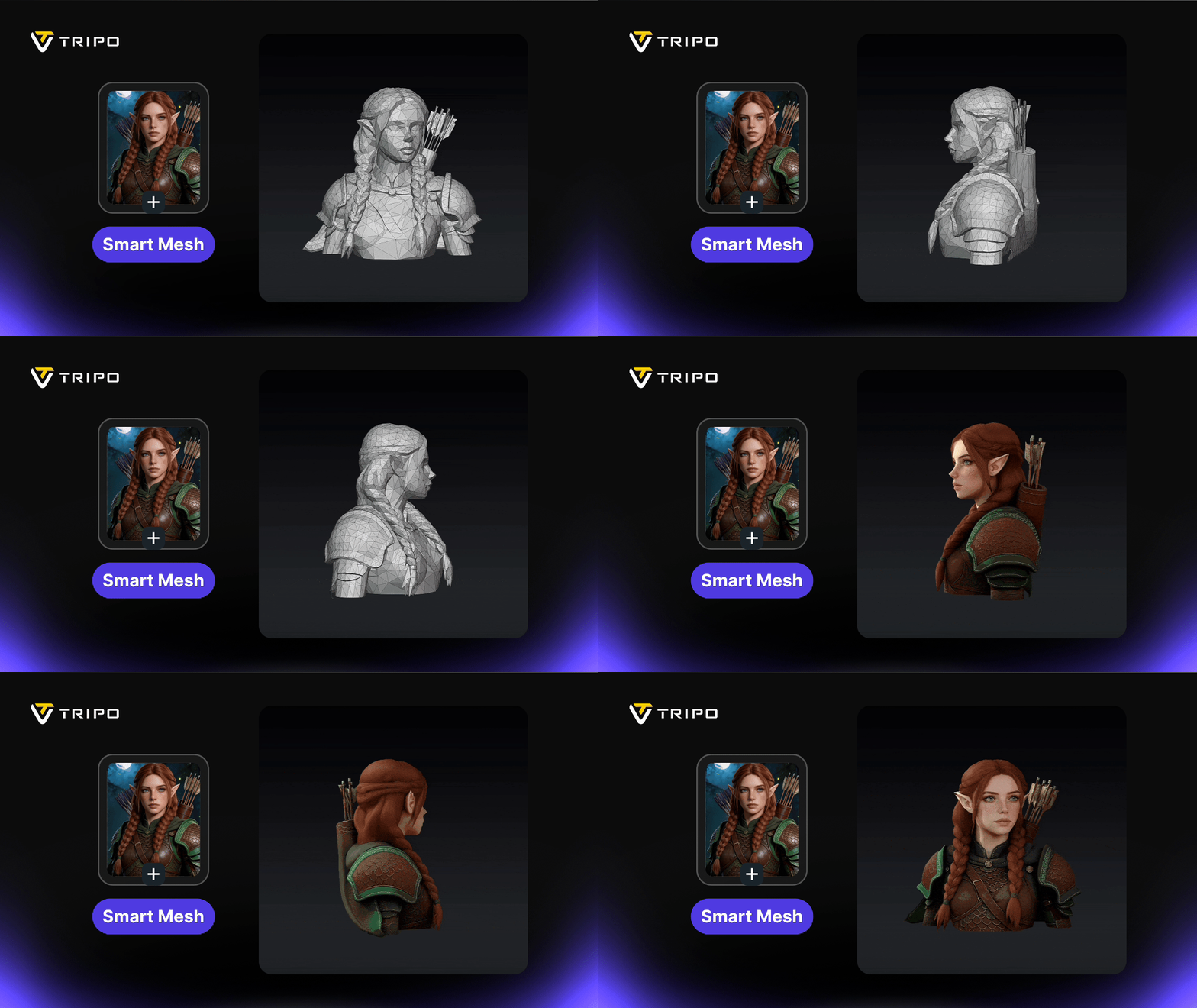
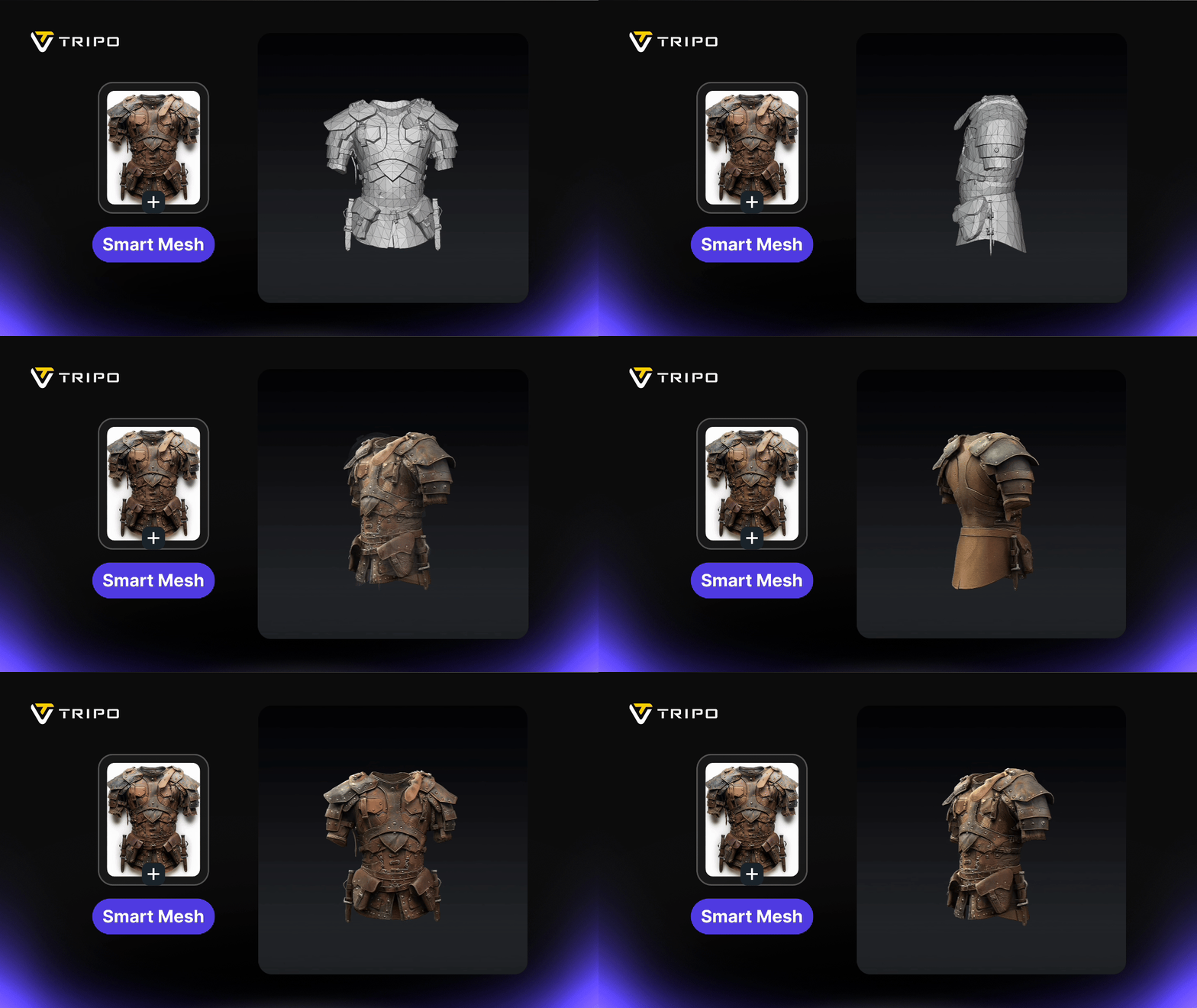
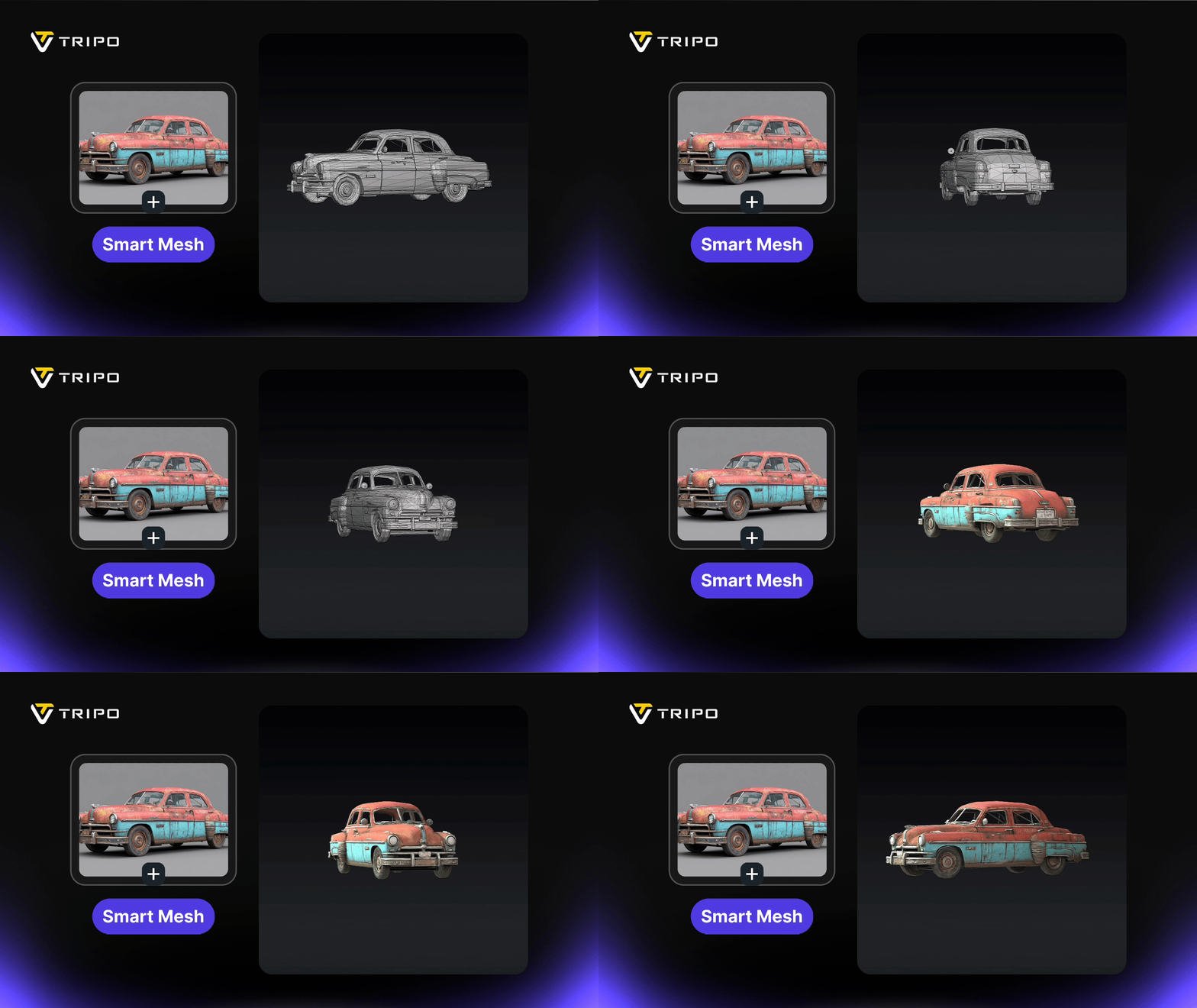
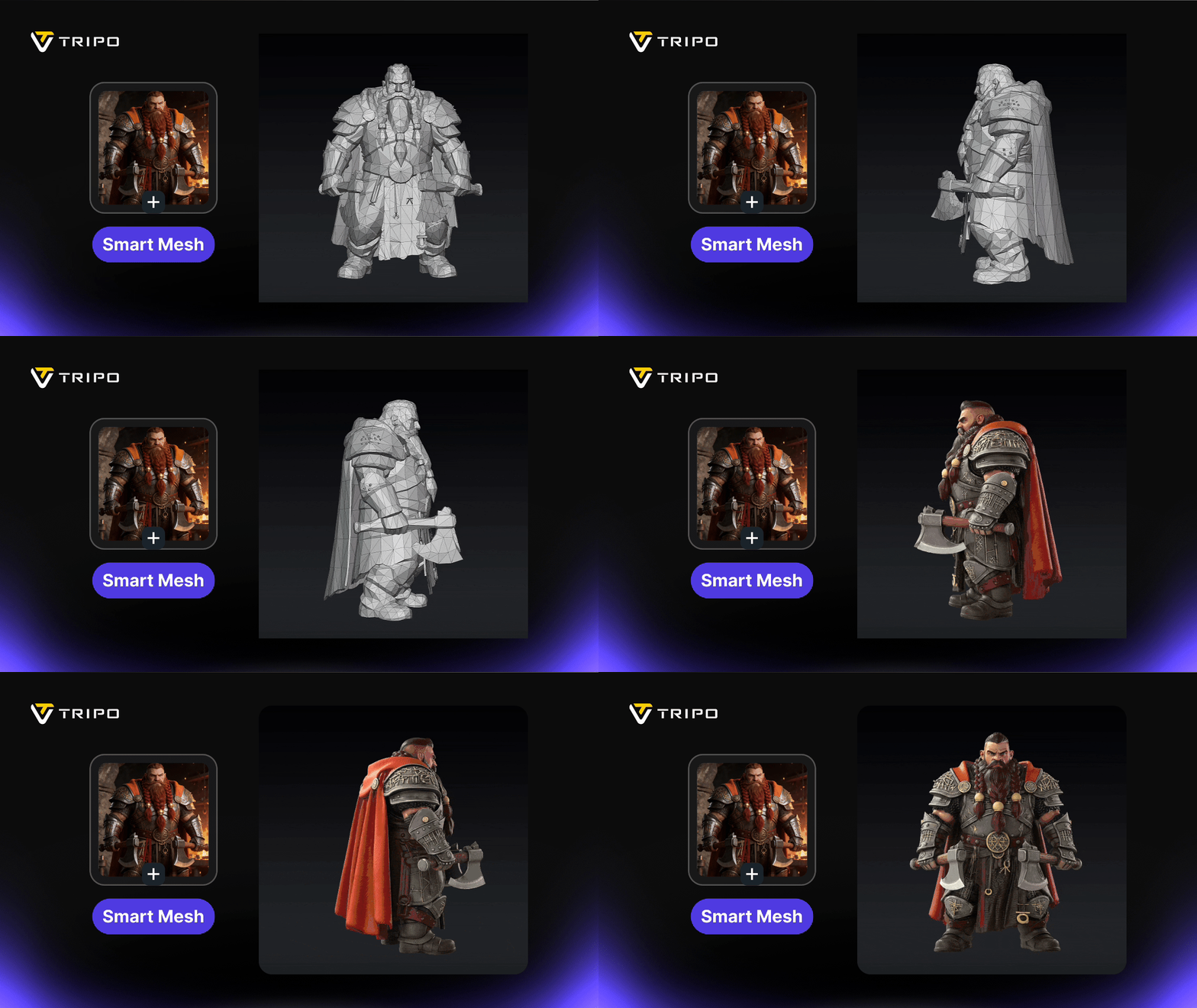
The biggest difference with Smart Mesh is the topology structure.
Instead of dense but chaotic geometry, Smart Mesh produces clean low-poly meshes with organized edge flow and predictable polygon structure. The polygon distribution is optimized for real-time performance, making the models lightweight without sacrificing shape quality.
This makes assets significantly easier to edit, rig, and animate, while also reducing the need for manual retopology or mesh cleanup.
For developers and artists, that means less time repairing meshes and more time building scenes, gameplay systems, and interactive experiences.
动图三排
动图两排
图片单个 不占满
Generation in 2 Seconds
Speed is another key advantage.
Smart Mesh can generate structured meshes in just 2 seconds, allowing developers to iterate rapidly when creating props, environment assets, or gameplay objects.
Fast generation also makes it possible to scale content production for live-ops updates, seasonal events, and large asset libraries.
Engine-Ready Mesh for Any Workflow
Smart Mesh is designed to fit naturally into any 3D production workflow.
The generated meshes are lightweight and optimized, making them suitable for a wide range of pipelines—from game development and real-time rendering to web 3D, XR, and interactive applications.
Because the topology is already clean and structured, assets can move smoothly between tools and engines without extensive cleanup or rework.
Instead of rebuilding AI outputs, teams can generate, export, and integrate assets directly into their existing production pipeline.
Built for Scalable Asset Production
Game development teams increasingly need to produce large volumes of assets without dramatically increasing team size.
Smart Mesh helps teams scale by automating one of the most time-consuming parts of the pipeline — topology cleanup and optimization.
By generating structured meshes automatically, Smart Mesh enables faster iteration cycles and more efficient asset pipelines.
A New Workflow for AI 3D Assets
With Smart Mesh, the workflow becomes dramatically simpler.
Instead of:
无序标题
- Generate → Fix topology → Retopologize → Optimize → Import
- Generate → Fix topology → Retopologize → Optimize → Import
- You can move much closer to:
- Generate → Export → Use
- You can move much closer to:
- Generate → Export → Use
有序标题
- Generate → Fix topology → Retopologize → Optimize → Import
- Generate → Fix topology → Retopologize → Optimize → Import
- You can move much closer to:
- Generate → Export → Use
- You can move much closer to:
- Generate → Export → Use
For many teams, that shift alone can save hours across a production cycle.
Smart Mesh vs High-Poly Generation
Smart Mesh is designed to complement Tripo H3.1, our high-fidelity generation model.
Each serves a different purpose in the pipeline.
| 表格 | Best For | Output Type |
|---|---|---|
| H3.1 (HD Model) | Hero assets, marketing visuals, high-detail models | High-poly geometry |
| Smart Mesh (P1.0) | Real-time assets, games, scalable pipelines | Clean low-poly topology |
Available Now in Tripo Studio
Smart Mesh (P1.0) is now available in Tripo Studio, allowing creators to generate clean, optimized topology meshes directly from AI.
For developers building automated pipelines, API access will also be available soon.
# Rate limiter for translation requests
class AsyncRateLimiter:
    def __init__(self, max_requests: int, period_seconds: float):
        self.max_requests = max_requests
        self.period_seconds = period_seconds
        self._timestamps = deque()
        self._lock = asyncio.Lock()

    async def acquire(self) -> None:
        while True:
            async with self._lock:
                now = time.monotonic()

                while self._timestamps and now - self._timestamps[0] >= self.period_seconds:
                    self._timestamps.popleft()

                if len(self._timestamps) < self.max_requests:
                    self._timestamps.append(now)
                    return

                wait_seconds = self.period_seconds - (now - self._timestamps[0]) + 0.1

            await asyncio.sleep(max(wait_seconds, 0.5))
As AI-generated 3D continues to evolve, tools like Smart Mesh help move the technology beyond experimentation — and into real production workflows.
Other New Features: DCC Bridge

大卡片内链
Tripo is integrating GPT Image 2 as a new image generation engine, creating a smoother text-to-image-to-3D workflow for turning ideas into usable 3D assets.
 Tripo Team
Learn how to install and use the Tripo3D Unreal Engine Bridge to send models directly from Tripo Studio to Unreal Engine. Follow this quick setup guide for a faster UE workflow.
Tripo Team
Learn how to install and use the Tripo3D 3ds Max Bridge to send models directly from Tripo Studio to 3ds Max. Follow this quick setup guide for a faster 3D workflow.
Tripo Team
Tripo3D Unity Bridge is a lightweight Unity plugin that connects Tripo Studio to your Unity editor, letting you send models from the browser straight into your project with one click—no manual downloads or imports required.
Tripo Team5. 滑动列表SliderList - News Card Carousel
Tests: pagination (3 items per slide = 3 slides for 7 items), mixed internal/external links
TripoSG: Next-Gen 3D Generation Model
Our latest research breakthrough achieves state-of-the-art mesh quality with 10x faster inference.
 Alice Chen
Community Showcase: March 2026
Stunning 3D creations from our community members. See what people are building with Tripo.
 Bob Smith
Enterprise API v2 Now Available
Batch processing, webhook callbacks, and priority queues for enterprise customers.
 Tripo Team
Unreal Engine 5 Plugin Release
Direct import of Tripo models into UE5 with LOD and material support.
 Charlie Wang
Meet Tripo at GDC 2026
Visit booth #A42 for live demos of our latest 3D generation technology.
 Diana Martinez
Texture Stylization: Complete Guide
Master AI-powered texture generation and style transfer for your 3D models.
Alice Chen
Generate anything in 3D
Click below to Join Millions of 3D Creators. Try ultra-high fidelity model generation and best-in-class pbr texture.