Tripo DCC Bridge for 3ds Max: Installation & Quick Start
Tripo3D 3ds Max Bridge is a lightweight plugin that connects 3ds Max directly to the Tripo Studio frontpage.
With this bridge, you can send generated models from the browser straight into 3ds Max in real time—no manual downloads or imports required. It is designed to simplify workflows for artists and designers, allowing you to focus on modeling and scene assembly rather than file management.
Requirements
- OS: Windows
- 3ds Max: 2024 or newer
- Browser:
- Supports Google Chrome 116+, Edge 116+, Opera 102+
- Other browsers are not supported
- Default Import Settings:
- Pivot: Center Bottom
- Texture Resolution: Current Maximum
- Auto Material Assignment: Enabled
- Auto Scene Placement: Enabled
Step-by-Step Installation
Step 1:
- Go to Tripo Studio and download the Tripo3D 3ds Max Bridge package.
- Extract the ZIP file.
Step 2:
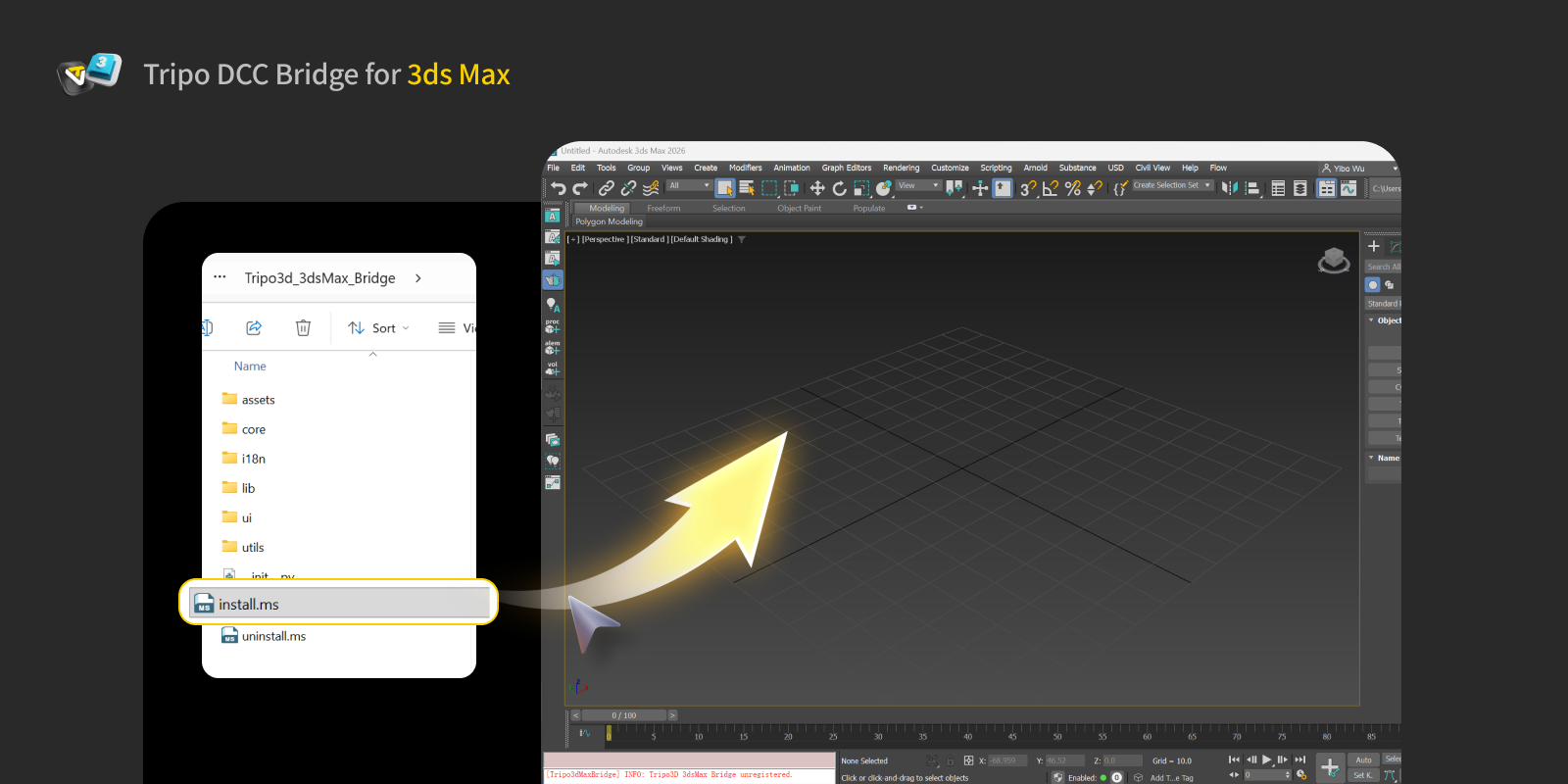
- Drag the
install.msfile directly into the 3ds Max viewport. The plugin will install automatically.
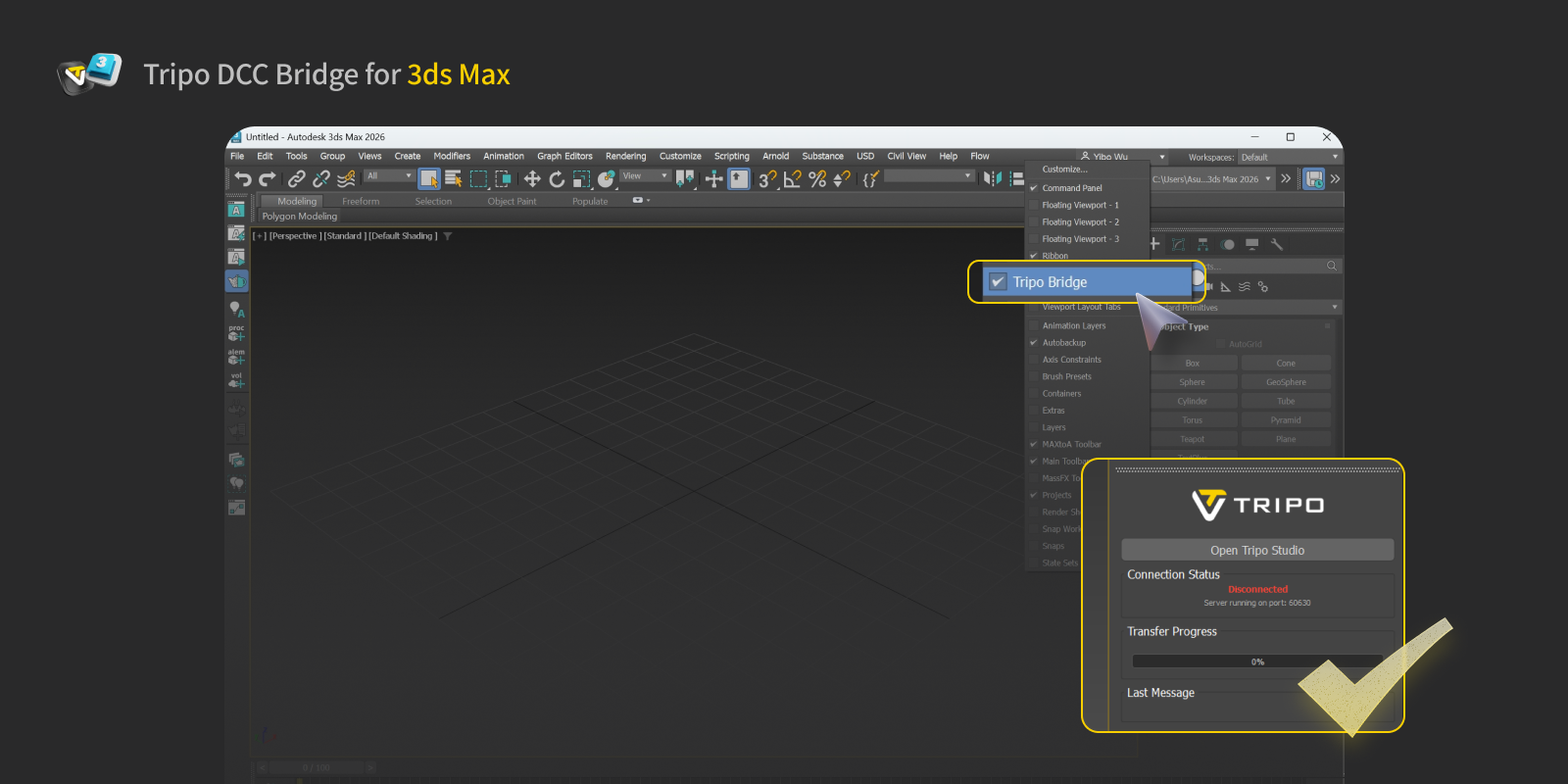
- You can open or close the plugin panel from the right-click menu.
Step 3:
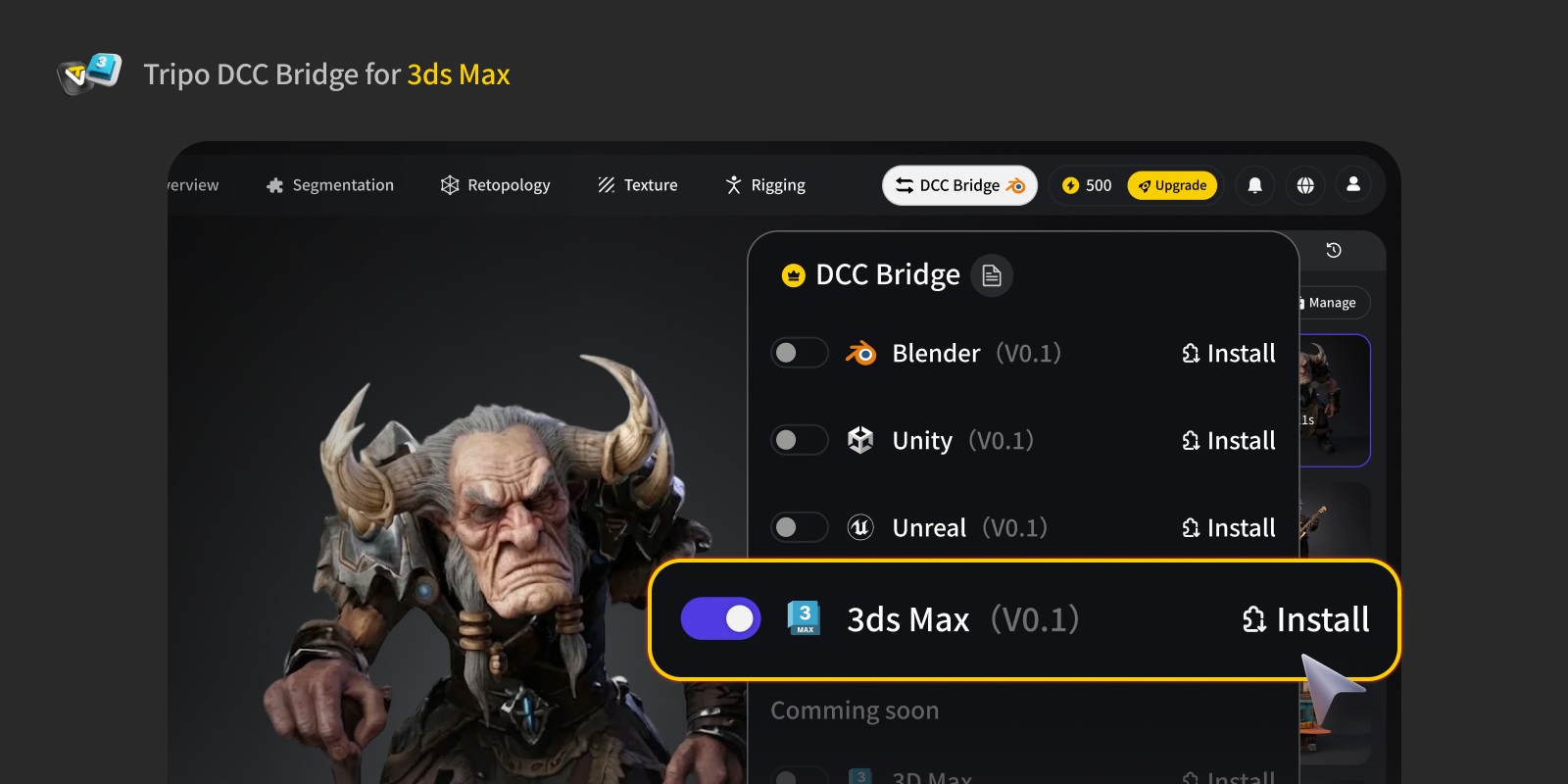
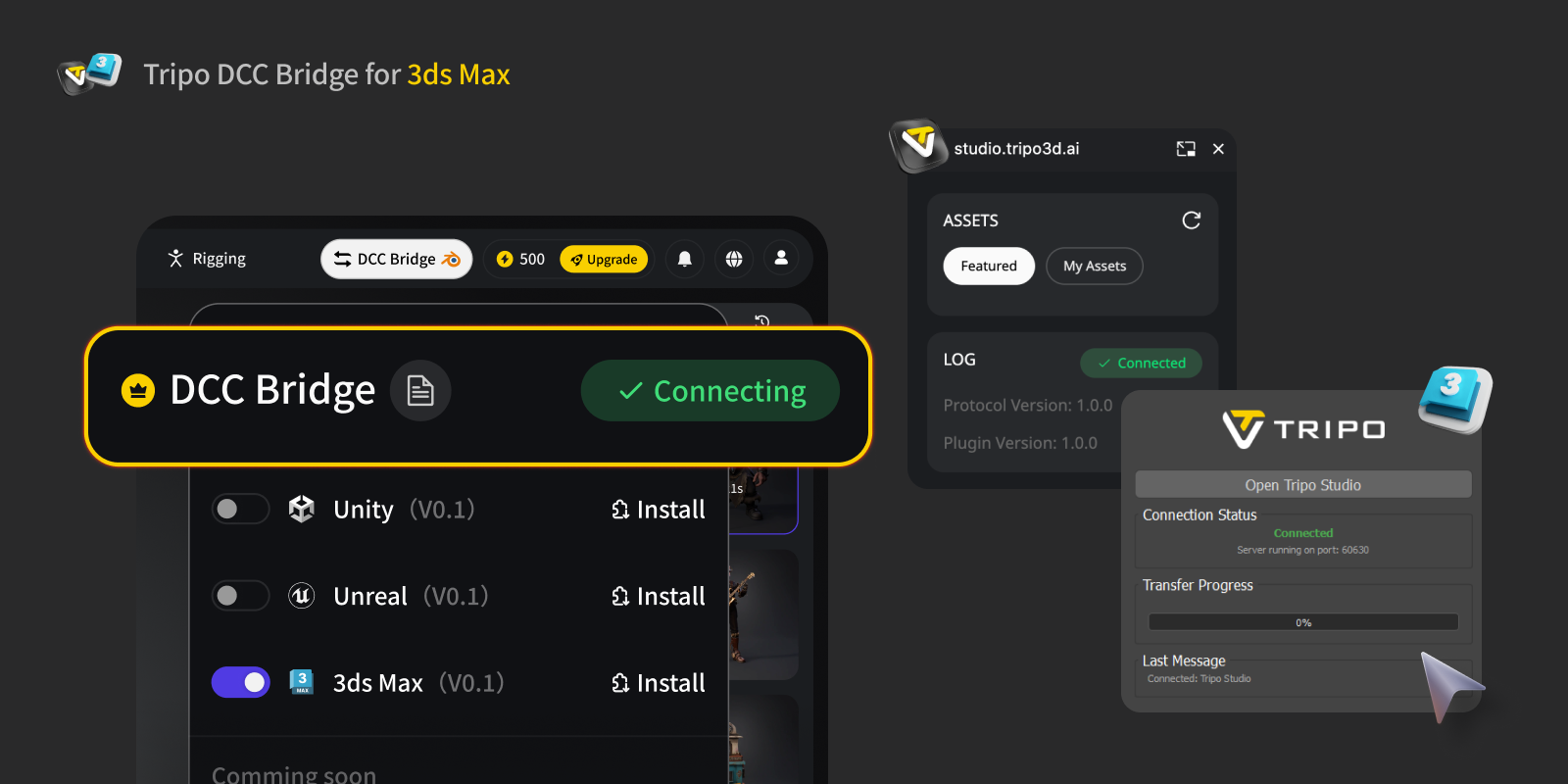
- Open the Tripo Studio website, click the DCC Bridge button, and activate the Blender plugin.
- Confirm the connection is set up correctly.
- Press the Export button in the mini window.
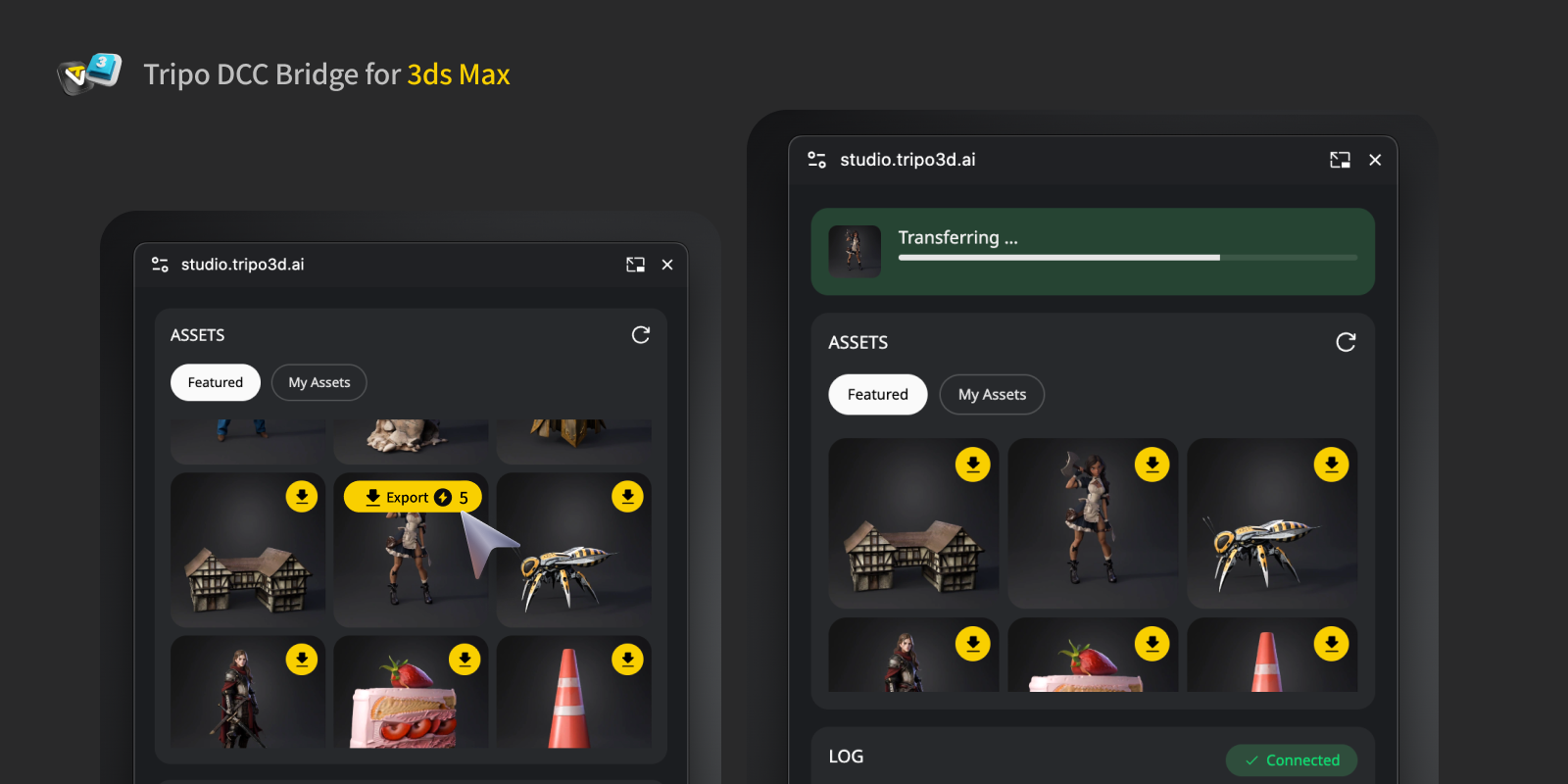
- If you want to export an animation, select the animation(s) you want to export in the export panel, then click Send to the specified DCC.
- Due to the way animations are handled in Autodesk 3ds Max, it is recommended to export only one animation per model.

Step 4:
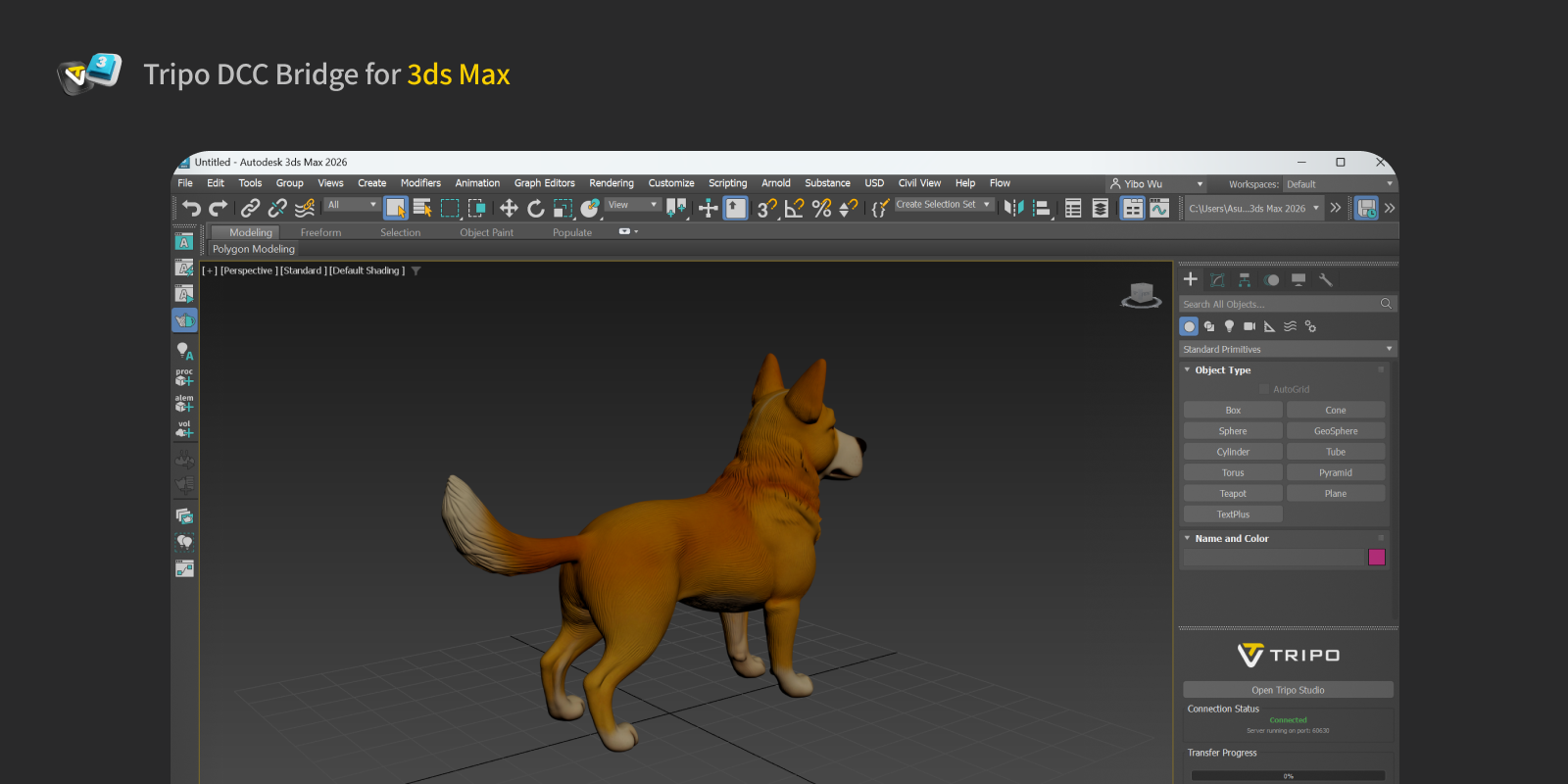
You can now view the model sent from the website in Autodesk 3ds Max.
FAQs
Q: Can I transmit data to multiple 3ds Max instances simultaneously?
A: No. The connection only recognizes the first 3ds Max launched.
Q: How do I uninstall the 3ds Max plugin?
A: To uninstall the Tripo3D 3ds Max Bridge, simply drag the uninstall.ms file into the 3ds Max viewport. The plugin will be removed automatically.

Generate anything in 3D
Click below to Join Millions of 3D Creators. Try ultra-high fidelity model generation and best-in-class pbr texture.