
Maya Auto-Rigging AI Characters: Fast Film Workflows
Accelerating Cinematic Workflows with Python and Tripo AI
The demand for background and mid-ground assets in modern film production creates significant bottlenecks for technical departments. Manual skeletal creation introduces severe friction, often delaying critical animation schedules when processing hundreds of unique background actors. By implementing automated skeletal generation tools alongside rapid asset creation pipelines, studios can bypass traditional limitations. This approach allows technical directors to maintain high-fidelity deformation standards within Autodesk Maya while drastically accelerating overall production timelines.
Key Insights
- Custom Python frameworks in Autodesk Maya are essential for processing AI-generated meshes into production-ready character rigs.
- Standardizing export protocols ensures accurate geometric data transfer for automated joint placement algorithms.
- Machine learning integrations enhance bounding box detection, significantly reducing manual skin weight adjustments.
- Automated quality assurance testing guarantees rig stability before handoff to animation departments.
Introduction to AI-Generated Character Pipelines in Maya
Tripo AI accelerates character creation for film by rapidly generating base meshes. Developing custom auto-rigging solutions for these specific assets in Autodesk Maya is crucial for scaling 2026 production workflows, allowing technical directors to bypass repetitive skeletal binding and focus on high-level animation constraints.
The Evolution of Film Pipelines with AI Assets
The integration of AI 3D model generators into visual effects pipelines represents a fundamental shift in how digital backlots are populated. Historically, crowd simulation required armies of character artists to sculpt, retopologize, and rig individual assets over months. As processing capabilities advanced, the focus shifted toward procedural generation. Today, technical directors utilize these generated assets to instantly populate massive scenes. Autodesk Maya remains the animation industry standard, providing the robust node-based architecture necessary to handle these new influxes of data. By establishing a direct bridge between rapid generation platforms and Maya's complex character setups, studios reduce the turnaround time for secondary characters from weeks to mere hours, fundamentally altering pre-production scheduling.
Key Challenges in Rigging AI-Generated Topology
Despite the speed of asset creation, ingesting raw generated meshes into a professional rigging environment presents unique geometric challenges. AI-generated topology often lacks the edge loops necessary for optimal joint deformation, particularly around high-flexion areas like shoulders, elbows, and knees. Furthermore, asymmetric vertex distribution can cause automated mirroring scripts to fail. Technical directors must build preprocessing scripts within Maya to identify non-manifold geometry and floating vertices before any skeletal binding occurs. Overcoming these topological inconsistencies requires a deep understanding of Maya's OpenMaya API to programmatically reconstruct problematic surface areas without destroying the original character silhouette.
Preparing Tripo AI Assets for Maya Auto-Rigging
Preparing AI-generated character meshes in Autodesk Maya requires specific steps to ensure optimal file interoperability and clean geometry. Establishing a standardized import and cleanup protocol is necessary to facilitate seamless automated skeletal binding and prevent deformation errors during the rigging phase.
Optimal Export Formats (USD, FBX, OBJ) for Maya
When migrating assets from generation platforms into Autodesk Maya, the choice of file format dictates the preservation of scale, hierarchy, and material data. Standard pipelines support USD, FBX, OBJ, STL, GLB, and 3MF. For complex character rigging workflows, USD (Universal Scene Description) and FBX are the primary choices due to their ability to carry structured metadata and hierarchical grouping. USD provides non-destructive layering, which is highly beneficial for collaborative film environments. If assets originate in web-optimized formats, relying on 3D format conversion utilities ensures they are properly translated to FBX or USD before Maya ingestion, preventing scale discrepancies and preserving UV map integrity.
Automated Retopology and Mesh Cleanup Scripts
Raw generated geometry must undergo refinement to meet the rigorous standards of film production. Maya provides powerful production-ready features, including automated retopology tools that reconstruct the mesh into quad-dominant topology suitable for deformation. Technical directors write Python wrapper scripts around Maya's polyRetopo and polyRemesh nodes to automate this process across batches of characters. These scripts evaluate the density of the original mesh, project the high-resolution details onto a newly generated low-polygon cage, and perform UV unwrapping automatically. By standardizing the mesh density and edge flow, the subsequent auto-rigging algorithms can reliably calculate joint placement and skin weight distribution.
Developing Custom Auto-Rigging Scripts (Python/MEL)
Technical directors utilize Python and MEL scripts in Autodesk Maya to automatically detect joint placements and construct control rigs. Tailoring these algorithms specifically for AI-generated character geometry ensures rapid skeleton generation, minimizing manual intervention while maintaining predictable deformation across diverse anatomical structures.
Bounding Box and Feature Detection Algorithms
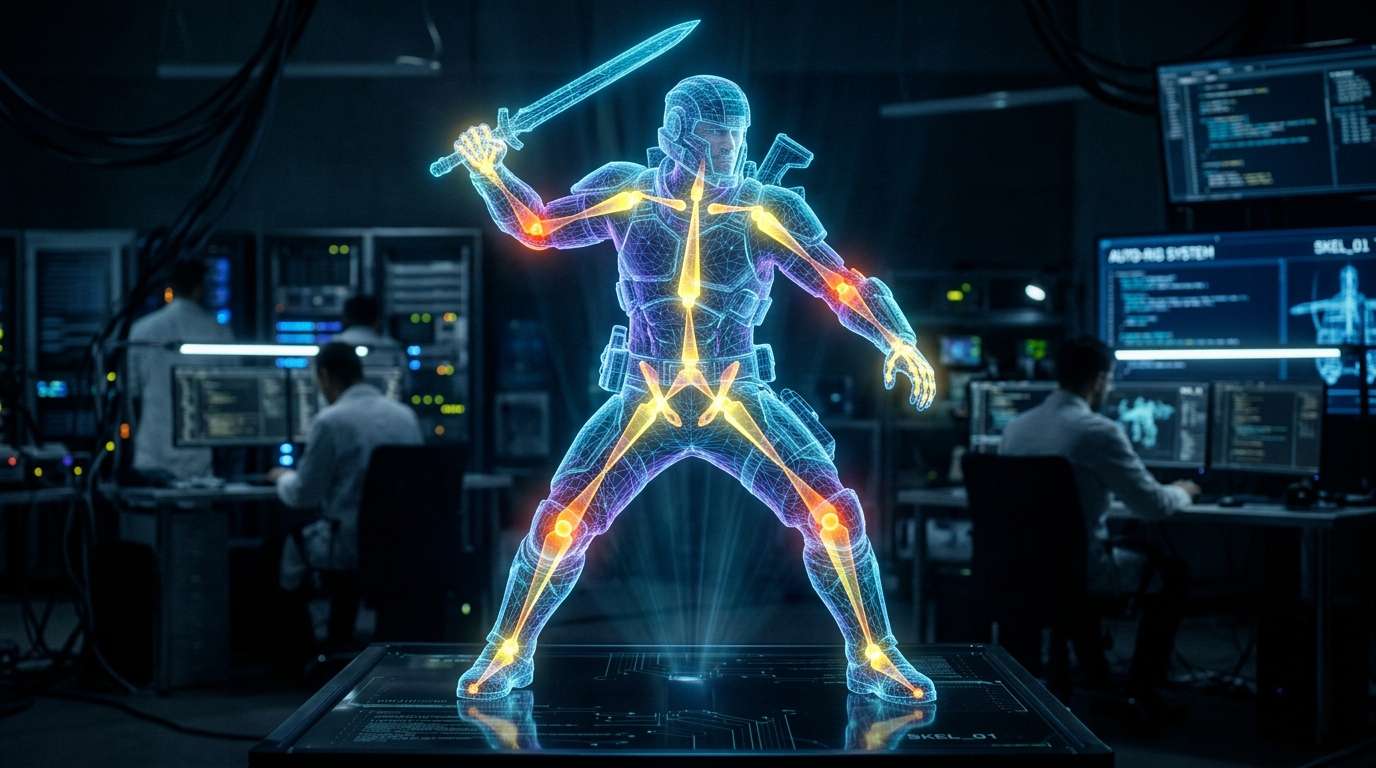
The foundation of any custom auto-rigger in Maya is its ability to analyze the spatial dimensions of an imported mesh. Using Python commands such as cmds.xform with bounding box flags, scripts calculate the absolute height, width, and depth of the character. Advanced feature detection algorithms slice the bounding box into anatomical zones, identifying the centroid of the geometry at specific heights to approximate the locations of the knees, pelvis, spine, and neck. By generating locator nodes at these calculated centroids, the script establishes a preliminary skeletal template. This mathematical approach ensures that regardless of the character's unique proportions, the foundational joint hierarchy scales and snaps to the correct internal volume of the mesh.
Automating Skin Weights for Tripo AI Models
Once the joint hierarchy is generated and positioned, binding the geometry to the skeleton requires precise skin weight calculation. Traditional linear blend skinning often struggles with the dense topology of generated meshes, resulting in collapsing joints and volume loss. Custom Python scripts address this by invoking Maya's geodesic voxel binding method via the skinCluster node. Voxel binding calculates the internal volume of the character, creating a much smoother weight distribution across overlapping geometry, such as clothed areas or dense armor. Scripted routines then apply smoothing passes to the weights around critical joints, ensuring the character can achieve extreme poses required by animators without manual vertex weight painting.
Integrating Machine Learning for Joint Prediction
Advanced film pipelines incorporate predictive models to refine joint placement beyond simple bounding box calculations. Modern generation relies on Algorithm 3.1 with over 200 Billion parameters, which produces highly consistent internal structural logic across generated assets. Because the underlying geometry follows predictable patterns dictated by this algorithm, custom Maya scripts can utilize lightweight machine learning libraries to parse the vertex data. These scripts recognize complex anatomical landmarks—such as clavicle slopes and elbow hinges—with high accuracy. This precise joint prediction completely eliminates the need for artists to manually tweak the skeletal template, resulting in a zero-touch rigging process for background characters.
Integrating Auto-Rigs into Film Production Workflows
Seamlessly pushing auto-rigged AI characters into animation and rendering pipelines demands rigorous integration protocols within a high-end film production environment. Implementing robust quality assurance and structured handoffs guarantees that these assets perform reliably under heavy computational stress during complex cinematic sequences.
QA Automation and Rig Stress Testing
Before an auto-rigged character is approved for animation, it must pass automated quality assurance protocols. Technical directors script Range of Motion (ROM) tests within Maya, applying a predefined 120-frame animation block to the newly created control rig. This automated sequence forces the character into extreme poses, such as deep squats and high arm extensions. Secondary Python scripts monitor the mesh during playback, scanning for vertex intersections, flipped normals, or unnatural volume loss. If the rig fails any structural parameters, the script flags the asset, logs the specific joint failure, and routes it back for automated weight adjustment. This continuous integration approach ensures that animators only receive stable, production-ready assets.
Pipeline Handoff Protocols for Animators
The final stage of the auto-rigging pipeline is structuring the Maya scene file for animator consumption. This involves locking non-essential nodes, hiding the skeletal hierarchy, and publishing the control curves to a clean interface. When evaluating enterprise mass-generation versus individual artist web tools for pipeline integration, it is crucial to recognize they are independent; the advanced tier has NO enterprise API. Consequently, pipeline engineers must build standalone Python ingestion and handoff modules. These scripts package the Tripo AI asset, its auto-generated rig, and its optimized textures into a referenced Maya file or a USD payload. This ensures the animation department experiences no lag or clutter, interacting only with the necessary control logic.
FAQ
1. How do I handle non-manifold geometry from AI models during Maya rigging?
A: Handling non-manifold geometry requires executing Maya's automated mesh cleanup API commands before running the primary auto-rig script. Python scripts utilizing cmds.polyInfo can systematically identify non-manifold vertices, lamina faces, and zero-length edges. Once identified, the cmds.polyCleanupArgList command forcefully resolves these topological errors. Running this sanitization routine as the absolute first step upon import guarantees that the subsequent geodesic voxel binding operations will not fail due to impossible geometric calculations.
2. Can existing Maya auto-riggers process Tripo AI FBX exports?
A: Yes, existing Maya auto-riggers can process these exports, provided a preparatory workflow is implemented. The process involves mapping the mesh proportions to standard joint hierarchies using custom Python wrappers. Because film studios must manage budgets and commercial rights during mass generation, they rely on platforms using credits. The free tier offers 300/mo (no commercial use), while the Pro tier provides 3000/mo, ensuring full commercial rights. Once legally cleared and exported, Python scripts read the FBX bounding data and dynamically scale the existing studio auto-rigger to match the asset's specific volume before applying the binding algorithms.
3. How do we automate facial rigging for AI-generated characters in Maya?
A: Automating facial rigging for generated meshes involves utilizing script-based blendshape generation or applying AI-driven facial marker tracking directly to the geometry. Technical directors write scripts that detect the facial bounding box and project a standardized topology mask onto the face. Maya's blendShape node is then populated with procedurally generated morph targets driven by joint deformations or lattice deformers. Alternatively, for background characters, simplified jaw and eye joints are automatically placed using centroid detection, providing enough articulation for crowd simulation dialogue without the overhead of a complex muscle-based facial rig.