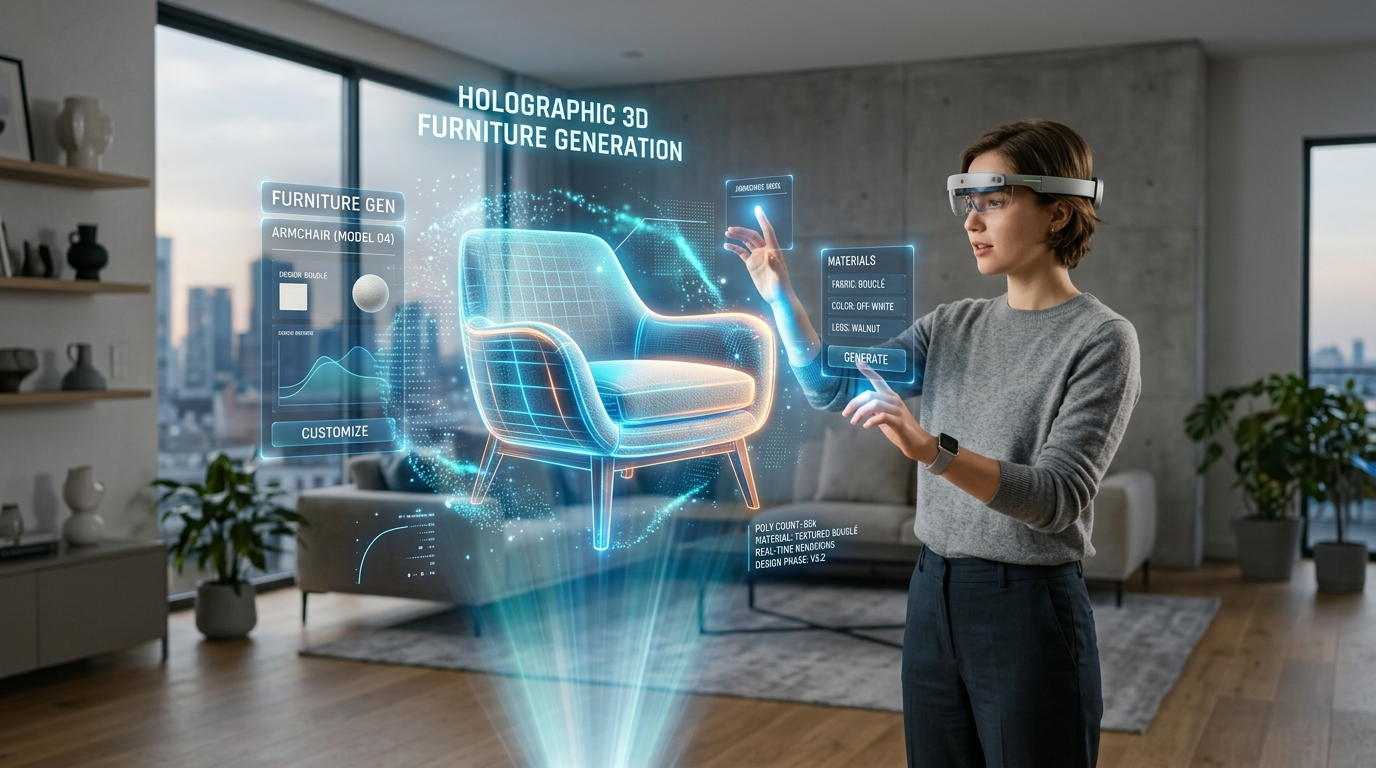
Master WebXR Standards for AR Furniture Placement
Bridging Spatial Design and Browser-Based Augmented Reality
Spatial design has long suffered from heavy application requirements and inconsistent cross-platform rendering. The evolution of browser-based augmented reality now eliminates the friction of native app installations while demanding rigorous asset standardization. By mastering WebXR protocols and integrating ai 3d home design workflows, spatial designers can seamlessly place outputs from 3D generative AI directly into any physical environment with accurate scale and lighting. The transition from closed ecosystems to open web standards requires a deep understanding of spatial computing APIs and rigorous geometry optimization.
Key Insights:
- WebXR eliminates platform lock-in by delivering native-quality augmented reality experiences directly through mobile and headset browsers.
- Hit testing and depth-sensing APIs ensure virtual furniture maintains a strict 1:1 scale relative to the physical room.
- Standardized 3D formats, specifically GLB and USD, are non-negotiable requirements for cross-platform rendering consistency.
- Algorithmic generation workflows must prioritize strict polygon budgets and PBR texture compression to meet browser performance thresholds.
The Role of WebXR in AI 3D Home Design
WebXR functions as the critical bridge unifying augmented reality experiences across disparate devices and operating systems. By eliminating the necessity for native application downloads, this standard allows designers to seamlessly integrate AI-generated 3D furniture models directly into web browsers, ensuring immediate, high-fidelity spatial planning for any user.
Overcoming Platform Fragmentation in Spatial Design
Historically, spatial design and virtual staging required distinct applications tailored for specific operating systems, creating significant friction for end-users and developers alike. WebXR introduces a unified API that standardizes spatial tracking, rendering, and interaction across all compliant web browsers. This normalization means a single web application can serve high-fidelity augmented reality furniture placement to smartphones, tablets, and spatial computing headsets without requiring application store approvals. By leveraging WebGL and WebGPU under the hood, WebXR translates standard web code into hardware-accelerated rendering commands, shifting the power from hardware-locked app stores directly to the open web.
Bridging AI Generation and Browser-Based AR
The rapid advancement of automated geometry generation necessitates an equally agile distribution method. WebXR serves as the ideal delivery mechanism for dynamically generated assets. When a designer requests a specific furniture variation, the generation engine processes the request and immediately serves the resulting geometry to the active browser session. This direct pipeline from generation to physical space visualization radically accelerates the iteration cycle for architectural planners and retail customers. For more information on how AI is transforming this space, visit our AI 3D Home Design hub.
Core WebXR Standards for Cross-Platform AR Furniture Placement
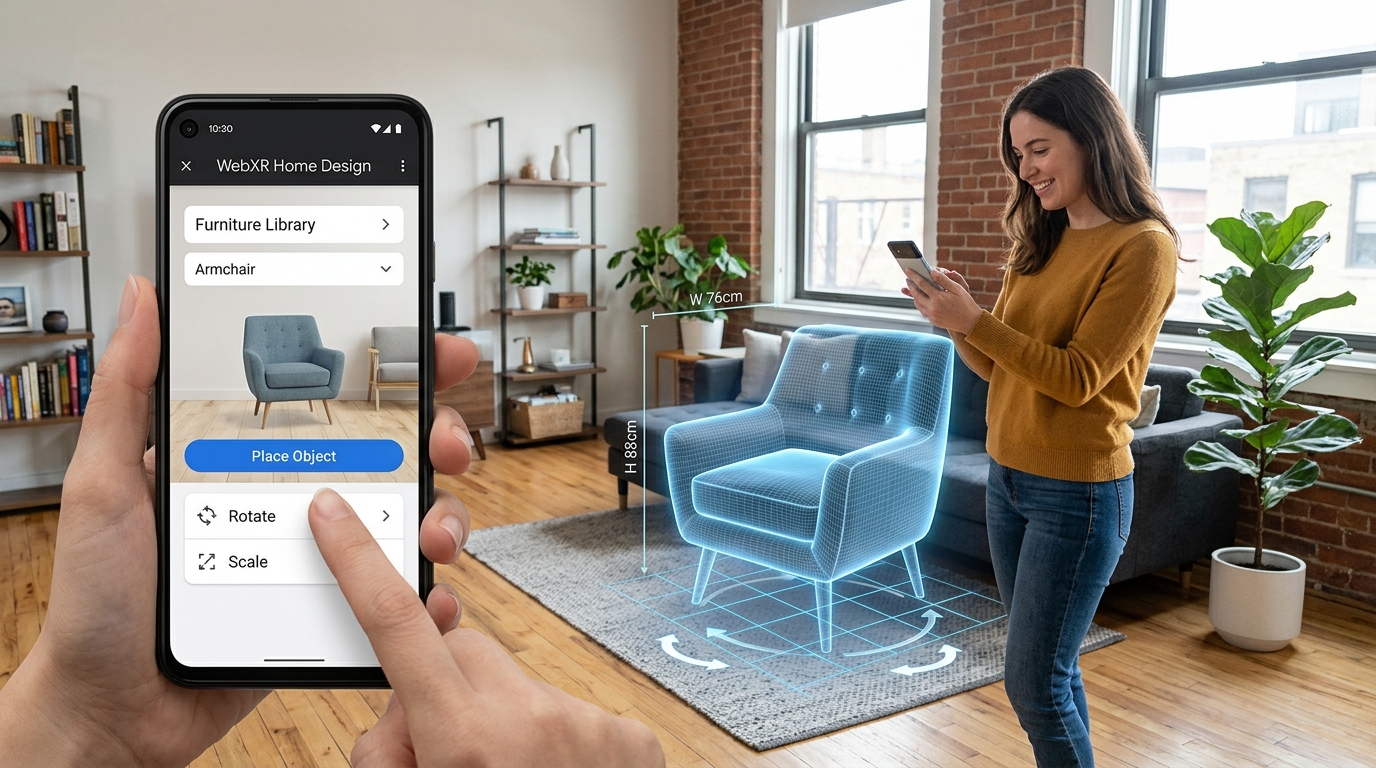
Deploying furniture in browser-based augmented reality requires strict adherence to WebXR specifications for precise spatial mapping. Utilizing advanced hit-testing and depth-sensing APIs ensures that 3D assets maintain absolute 1:1 scale accuracy.
Hit Testing and Depth Sensing APIs
Accurate spatial positioning relies heavily on the WebXR Hit Test API. This specification allows the browser to cast virtual rays into the physical environment to identify planar surfaces. For furniture placement, robust floor detection is paramount. The depth-sensing capabilities analyze the physical room's geometry in real-time to generate a mesh mapping of the surroundings, ensuring virtual objects do not float or intersect with physical walls. This establishing a coordinate system anchored in physical reality, avoiding the scaling errors common in legacy AR applications.
Lighting Estimation for Photorealism
The WebXR Lighting Estimation API resolves immersion breaks by analyzing the camera feed to determine the direction, intensity, and color temperature of real-world light sources. When a virtual leather armchair is placed in an AR session, the lighting estimation ensures that the material reflects the specific hue of the room's lighting. By matching the digital shadow's vector and opacity to the physical room's conditions, the API grounds the object securely within the space.
Optimizing 3D Assets for Cross-Platform AR Compatibility
Smooth WebXR performance demands rigorous 3D asset optimization. Developers must utilize standardized formats and enforce strict guidelines for polygon counts to prevent latency.
Essential Export Formats for Interoperability
Tripo AI supports critical technical constraints by allowing creators to export models in USD, FBX, OBJ, STL, GLB, and 3MF. Within WebXR, GLB operates as the primary binary container, while USD provides the essential framework for Apple AR Quick Look fallback environments. Executing accurate 3D format conversion ensures that assets transition smoothly to end-user browsers without structural degradation.
Polygon Optimization and Texture Compression
Browser-based rendering engines face strict memory limitations. Polygon counts for individual furniture pieces should ideally remain below 100,000 triangles to maintain a stable 60 FPS. Additionally, utilizing KTX2 texture compression allows the GPU to read data directly, reducing memory overhead. Physically Based Rendering (PBR) pipelines must use packed textures to minimize HTTP requests and enhance performance on mobile browsers.
Generating AR-Ready Furniture with Tripo AI
Producing 3D furniture models that strictly adhere to WebXR standards is highly efficient using Tripo AI. The workflow accelerates the transition from conceptual designs to fully optimized spatial assets.
From Concept to WebXR-Ready Asset
When executing an image to 3D model conversion, Tripo AI leverages its foundation model with over 200 Billion parameters to precisely interpret spatial depth and material properties. It is important to note that the advanced tier provides high-volume output for professional applications, where processing power is allocated via a credit system. For agencies, the premium tier supplies 3000 credits per month, covering the intensive demands of active spatial design and live retail environments.
FAQ
Q: How does WebXR ensure accurate scale for AR furniture placement? A: WebXR utilizes advanced hit-testing APIs to map physical floor surfaces in real-time. This mathematical grounding guarantees an exact 1:1 real-world scale for all virtual furniture models, eliminating the need for manual user scaling.
Q: Which 3D file formats are strictly required for WebXR AR furniture? A: GLB is the primary standard format for WebXR. Tripo AI also provides parallel exports in USD format to serve as a necessary fallback for iOS devices utilizing Apple AR Quick Look, ensuring total cross-platform compatibility.
Q: How do WebXR lighting standards affect AR furniture realism? A: The WebXR Lighting Estimation API analyzes the physical room's lighting conditions to dynamically adjust the 3D model's shadows and highlights, seamlessly blending the digital furniture into the physical environment.