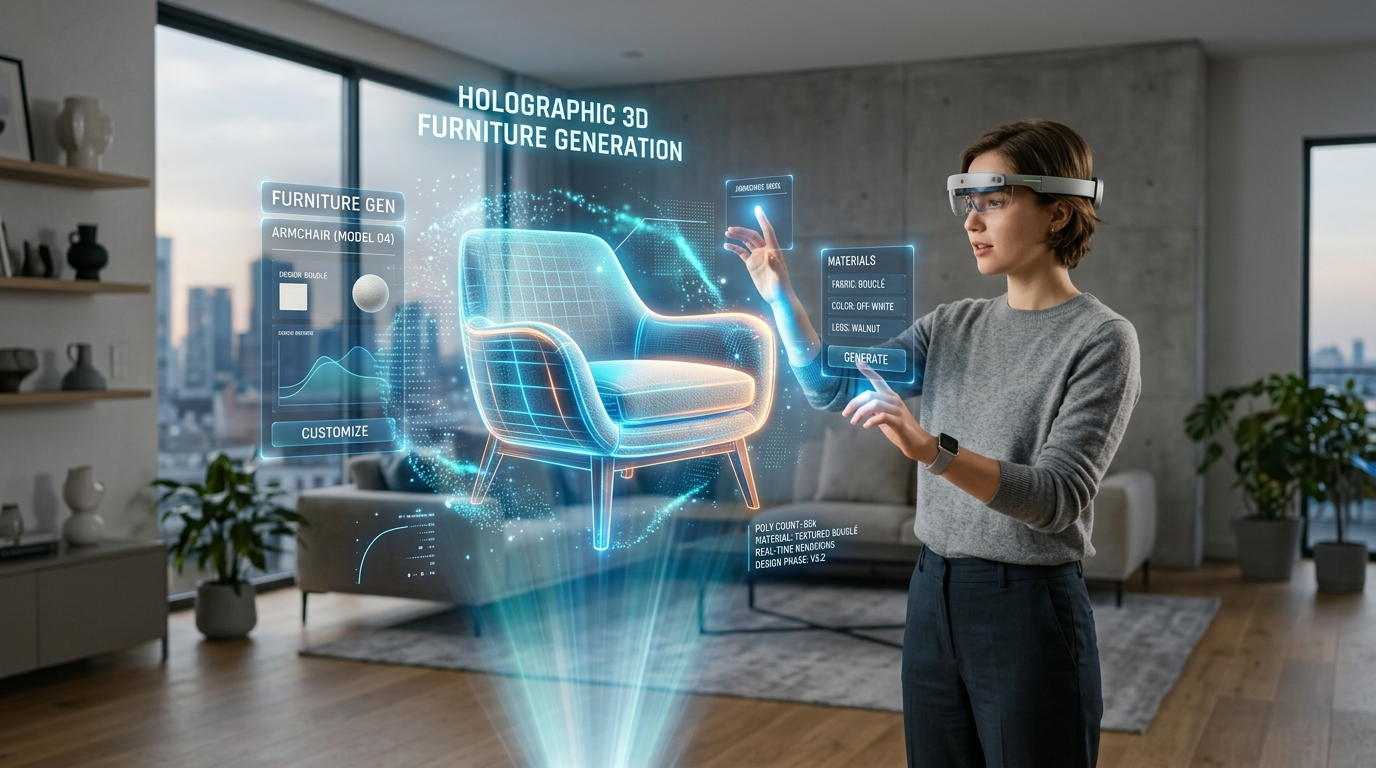
AI Interior Rendering: Photorealistic Sunlight
Advanced Techniques for Simulating Natural Light in Digital Architecture
Achieving true-to-life lighting remains one of the persistent hurdles in architectural visualization, often leaving digital rooms looking flat and artificial. As client expectations for immersive ai 3d home design increase, the technical friction of manually calculating global illumination and tweaking sun paths drains critical project hours. Modern generative workflows solve this by utilizing an advanced AI 3D Model Generator to instantly simulate accurate, photorealistic sunlight, transforming sterile models into warm, inviting environments.
Key Insights
- Mastering directional sunlight requires precise text modifiers to dictate time of day, shadow softness, and atmospheric scattering.
- Material properties must be meticulously balanced against light intensity to prevent overexposure in digital home designs.
- Iterative rendering allows designers to fine-tune global illumination without the high compute costs associated with traditional ray-tracing software.
- Balancing natural daylight with artificial ambient sources is essential for achieving spatial depth and professional architectural visualizations.
The Role of Sunlight in AI Interior Rendering
Achieving photorealistic sunlight effects with AI interior rendering transforms flat concepts into immersive spaces. Sunlight dictates mood, highlights textures, and defines the spatial depth of 3D home designs. Mastering these lighting dynamics in Tripo AI ensures your architectural visualizations feel authentic, warm, and professionally crafted.
Understanding Natural Light Dynamics in 3D Spaces
Natural light is the critical element in architectural visualization, acting as the primary anchor for realism. In physical environments, sunlight is never perfectly uniform; it possesses specific color temperatures, directional intensities, and diffusion patterns that change continuously based on the time of day, geographical location, and atmospheric conditions. When bringing these principles into 3D spaces, understanding the physics of light becomes paramount.
Sunlight sets the emotional tone of an interior. A room bathed in the cool, blue-tinted light of early morning (around 4000K to 5000K) evokes a distinctly different psychological response than the same room illuminated by the warm, golden-orange hues of late afternoon (around 2500K to 3000K). Furthermore, sunlight is not merely a single directional beam. It consists of direct light, which creates sharp, high-contrast shadows, and indirect sky light, which provides soft, ambient illumination that fills in the darker areas of a room.
In digital rendering, replicating this duality is essential for spatial depth. Without the soft fill of ambient sky light, shadows appear unnaturally pitch-black; without the harsh punch of direct sunlight, the room lacks contrast and volume. Mastering natural light dynamics requires architects and 3D artists to observe how light filters through glass, how it scatters upon hitting dust particles in the air, and how its angle accentuates the architectural geometry of a space.
How AI Interprets Shadows, Bounces, and Global Illumination
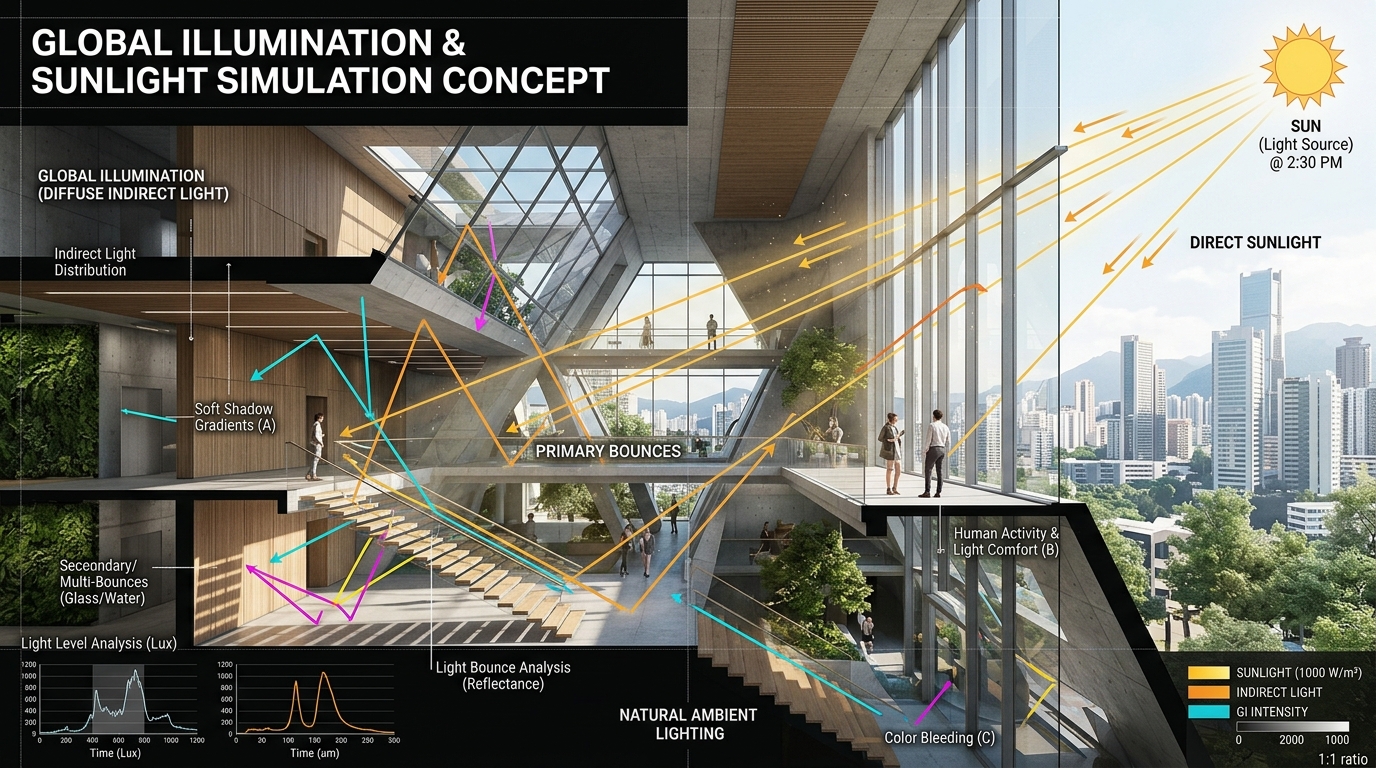
Traditional rendering engines rely on manually configured ray-tracing algorithms to simulate how photons travel from a light source, hit a surface, and bounce around a room. This process, known as global illumination, is computationally expensive and requires extensive technical knowledge to optimize.
Artificial intelligence approaches this challenge through complex neural networks trained on vast datasets of real-world photography and physically accurate renders. When calculating these complex interactions, the system relies on immense computational architecture. Powered by Algorithm 3.1 with over 200 Billion parameters, Tripo AI analyzes spatial geometry to calculate accurate light bounces and contact shadows without requiring manual ray-tracing setups.
This immense processing capability allows the AI to inherently understand that a bright beam of sunlight hitting a red hardwood floor will bounce upward, casting a warm, reddish tint onto the adjacent white walls. It predicts the soft gradient of ambient occlusion in the corners of a room and the sharp contact shadows under furniture, delivering photorealistic global illumination at unprecedented speeds.
Techniques for Photorealistic Sunlight Effects with AI
To master natural lighting, you must guide the AI using precise prompts and environment controls. By specifying time of day, window placement, and light temperature, Tripo AI can accurately simulate morning glows or harsh afternoon rays, elevating the realism of your digital home staging.
Prompting for Specific Times of Day (Golden Hour vs. Midday)
Precision in descriptive language is a highly effective tool for controlling sunlight in generative rendering. Vague descriptors like "sunny room" yield unpredictable results, often defaulting to a generic, over-lit environment. To achieve professional-grade visuals, practitioners must use specific, time-based modifiers that dictate the exact altitude and azimuth of the virtual sun. Utilizing a Text to 3D Model workflow, the generation engine interprets these semantic cues to construct the lighting environment dynamically.
- Golden Hour: Prompting for "golden hour sunlight" instructs the AI to lower the sun's angle, stretching shadows across the floor and infusing the scene with a warm, amber spectrum. This is ideal for cozy living rooms.
- Midday: Prompting for "high noon midday sun" positions the light source directly overhead, producing crisp, high-contrast shadows and a cooler, neutral color temperature—perfect for minimalist kitchens.
- Overcast: Terms like "overcast ambient daylight" simulate soft, shadowless illumination, highlighting subtle interior details.
Controlling Directional Light and Window Placement
Even beautifully simulated sunlight is ineffective if its point of entry does not make architectural sense. In generative AI platforms, guiding the system to understand window placement is crucial for establishing the directionality of the light. Designers should incorporate structural keywords into their inputs, such as "large east-facing floor-to-ceiling windows," "narrow overhead skylight," or "slatted window blinds."
These descriptions force the AI to calculate how the sunlight interacts with the architectural boundaries. By specifying "slatted blinds," the engine will generate complex, striped shadow patterns. Furthermore, specifying orientation (North, South, East, West) helps establish intensity; south-facing windows provide strong sunlight, while north-facing windows yield cooler, diffused illumination.
Managing Material Reflections and Light Bounces
Sunlight realism is dependent on how it interacts with surfaces. A polished marble countertop reflects a sharp image of a sunlit window, while a matte wool rug absorbs light, creating a diffused glow. Utilizing advanced AI Texture generation ensures that physically based rendering (PBR) properties—such as albedo, roughness, and metallicity—are correctly mapped.
By carefully describing finishes—such as "matte oak flooring," "brushed brass fixtures," or "glossy ceramic tiles"—designers provide the AI with the data needed to calculate accurate light absorption and reflection, preventing "blown out" highlights and ensuring the sunlight behaves naturally.
Optimizing Your 3D Home Design Workflow in Tripo AI
Integrating photorealistic sunlight into your workflow requires balancing light intensity with material properties. Tripo AI allows designers to rapidly iterate on lighting setups, ensuring that wood, glass, and fabrics react naturally to the simulated sun before finalizing the 3D interior design.
Iterative Testing for Perfect Exposure
One of the significant advantages of AI in architectural visualization is the speed of iteration. Traditional pipelines might take hours to clear noise from a test render. Generative AI allows for dozens of variations in minutes. Professionals in Tripo Studio can manually adjust these variations, tweaking prompts to refine exposure levels and atmospheric mood.
Once the exposure is perfected—where highlights are bright but not clipped, and shadows retain detail—assets can be exported in formats like USD, FBX, OBJ, STL, GLB, and 3MF. This ensures perfectly lit assets can be integrated into downstream software or external rendering engines for final delivery.
Balancing Artificial and Natural Light Sources
Professional architectural photography relies on balancing natural daylight with internal artificial lighting. In AI rendering, simulating this interplay adds sophistication. Designers should prompt the AI to incorporate key, fill, and rim lights through interior fixtures.
Describing "warm tungsten pendant lights" alongside primary sunlight creates a beautiful color temperature contrast. The juxtaposition of cool, blue-tinted daylight and the warm orange glow of a lamp creates visual interest and spatial depth, resulting in a magazine-quality interior visualization.
FAQ
1. How do I prevent sunlight from washing out interior textures in Tripo AI?
To prevent overexposure, use prompt modifiers like "softly diffused sunlight," "low exposure," or "balanced dynamic range." Explicitly defining materials as "matte" or "non-reflective" also helps the engine maintain texture visibility in bright areas.
2. Can Tripo AI generate realistic volumetric lighting or god rays through windows?
Yes. Include atmospheric keywords such as "dust particles illuminated by sunlight," "atmospheric scattering," or "volumetric light rays." Positioning the light at a low angle (early morning/late afternoon) significantly enhances these effects.
3. How can I optimally prompt for soft, indirect sunlight in a north-facing room?
Steer away from direct sun descriptors. Use terms like "ambient daylight," "soft overcast sky," "diffused window light," and "north-facing studio lighting." These keywords signal the AI to rely on indirect global illumination rather than harsh directional rays.